
WetCal
A little frustration. A whole new product.
It started with trying to plan a picnic.
First, compare calendars with friends. Find a couple of evenings when everyone is free. Then switch to a weather app to work out which one is worth planning around.
This was a frustration I kept coming back to. A day marked as rainy might have showers in the morning and sunshine by late afternoon. The daily summary didn’t answer the question I actually had: what will it be like when we’re free?
Put the forecast where the decision happens.
I built WetCal to bring hourly weather into the calendar. Plans and forecasts share the same timeline, so a free afternoon can be considered alongside the conditions expected during those hours.
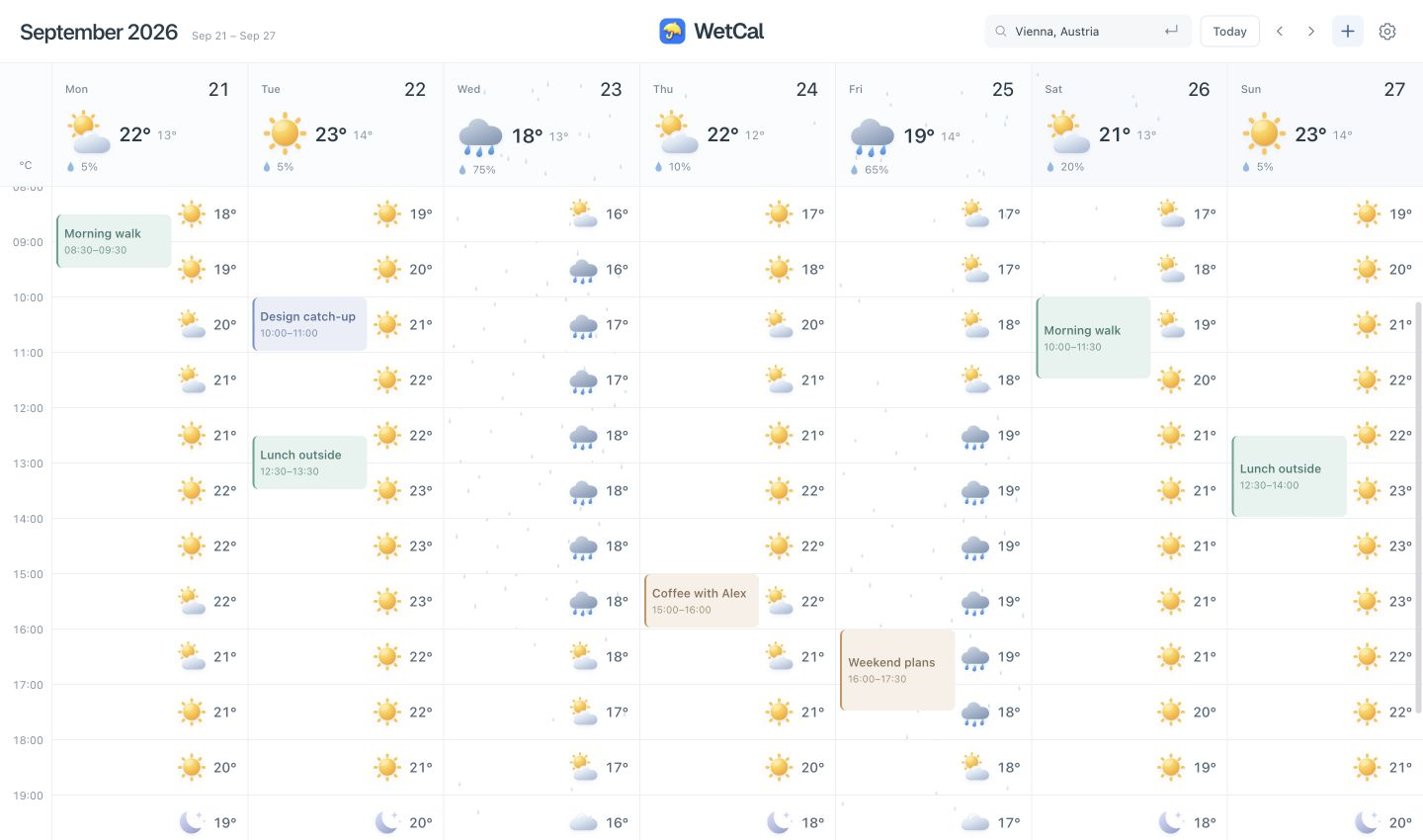
The hours that matter.
Hourly conditions sit beside each day’s events. A rainy-day icon becomes context, rather than the whole story.
Calendars already in use.
WetCal brings in calendars already on the Mac, including iCloud and Google. The idea is to fit into an existing planning habit.
From a free slot to a plan.
Click or drag a free spot to create an event, with the forecast still in view. The decision and the next step stay together.
From my own problem to a working product.
WetCal is a self-initiated, zero-to-one project: I took a frustration from everyday life and built a weather calendar around it. The result is a working Mac app, available as a preview.
The picnic was the starting point. The same question comes up before a walk, lunch outside or an evening with friends: when do free time and a promising forecast overlap?
Visit WetCal (opens in a new tab)My concept and design. An AI-assisted build.
I developed the concept and designed the experience myself, then directed AI to help bring it to life. That helped me ship quickly and keep the product lightweight.
WetCal is also an experiment in how I work: taking responsibility for the product direction and design, while using AI to help carry those decisions into a working app.