Manage the sources.
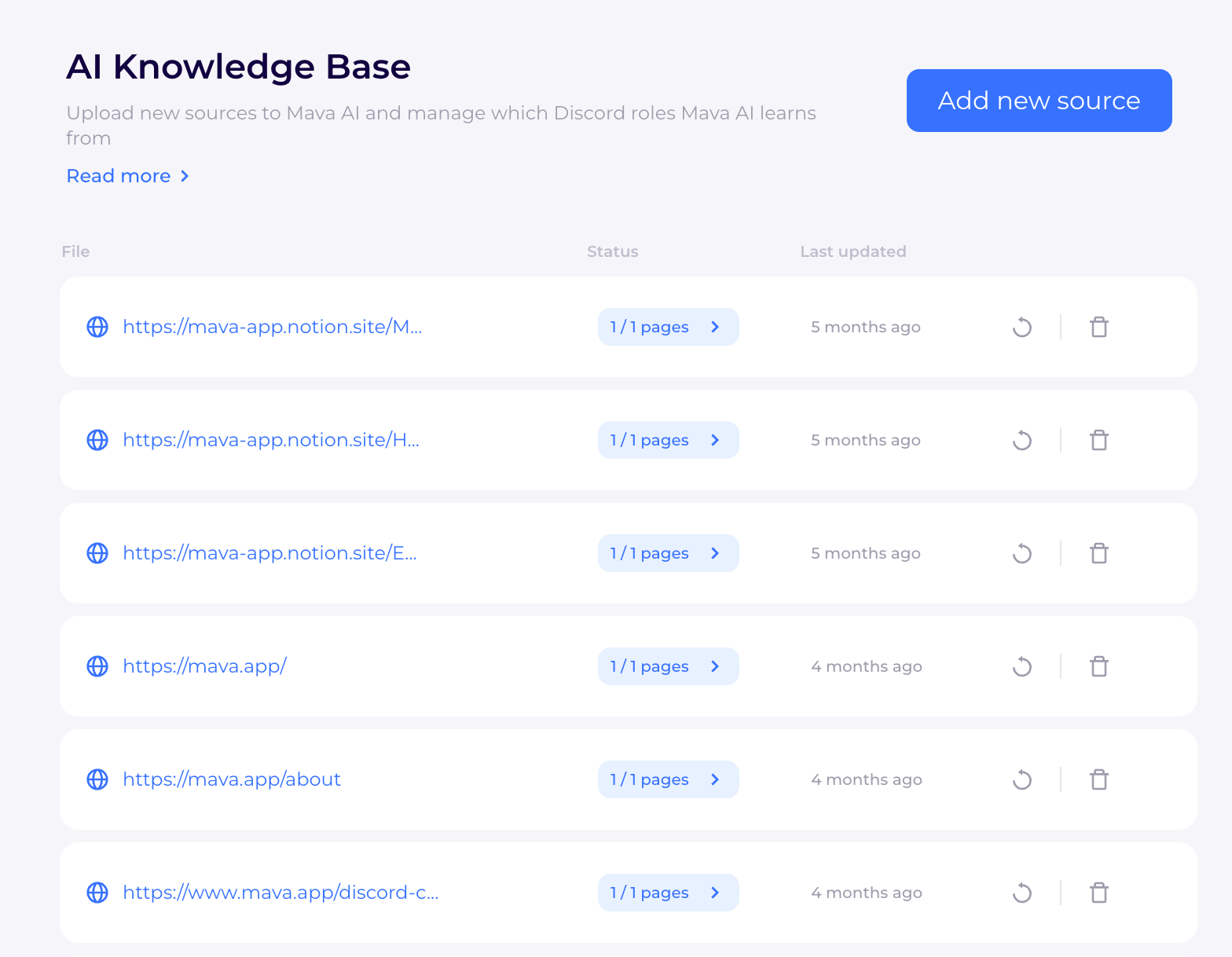
The source list brought page status, last-update information and refresh controls together, so teams could see what was available and what needed attention.

Making AI support easier to set up and manage.
I designed AI-assisted onboarding and customer support workflows for Mava. The work connected the customer-facing chat experience with the tools support teams needed to configure conversations, manage information and test AI responses.
The challenge was to make the first interaction clear for customers, while giving teams practical control over what happened behind it.
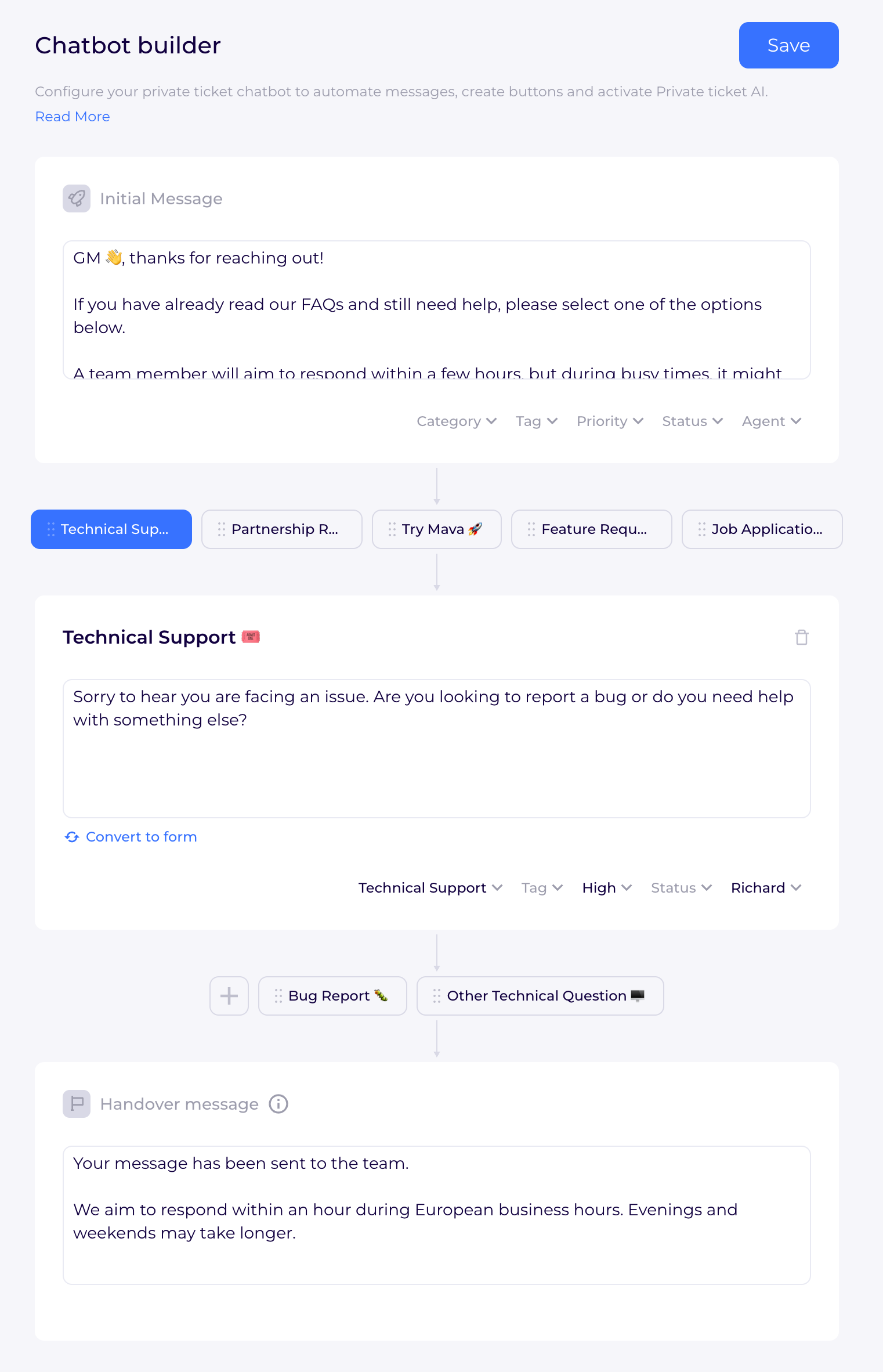
The chatbot builder used preset messages and branching buttons to guide requests toward the right agent. Teams could configure categories, priorities and assignments within the flow, then set a handover message so customers knew what to expect next.
AI assistance could be enabled when needed, alongside the configured support journey.
Support information changes. The knowledge-base design gave teams a way to add, review and edit the information available to the AI, with sources ranging from PDFs and web pages to community spaces such as Discord.
The source list brought page status, last-update information and refresh controls together, so teams could see what was available and what needed attention.
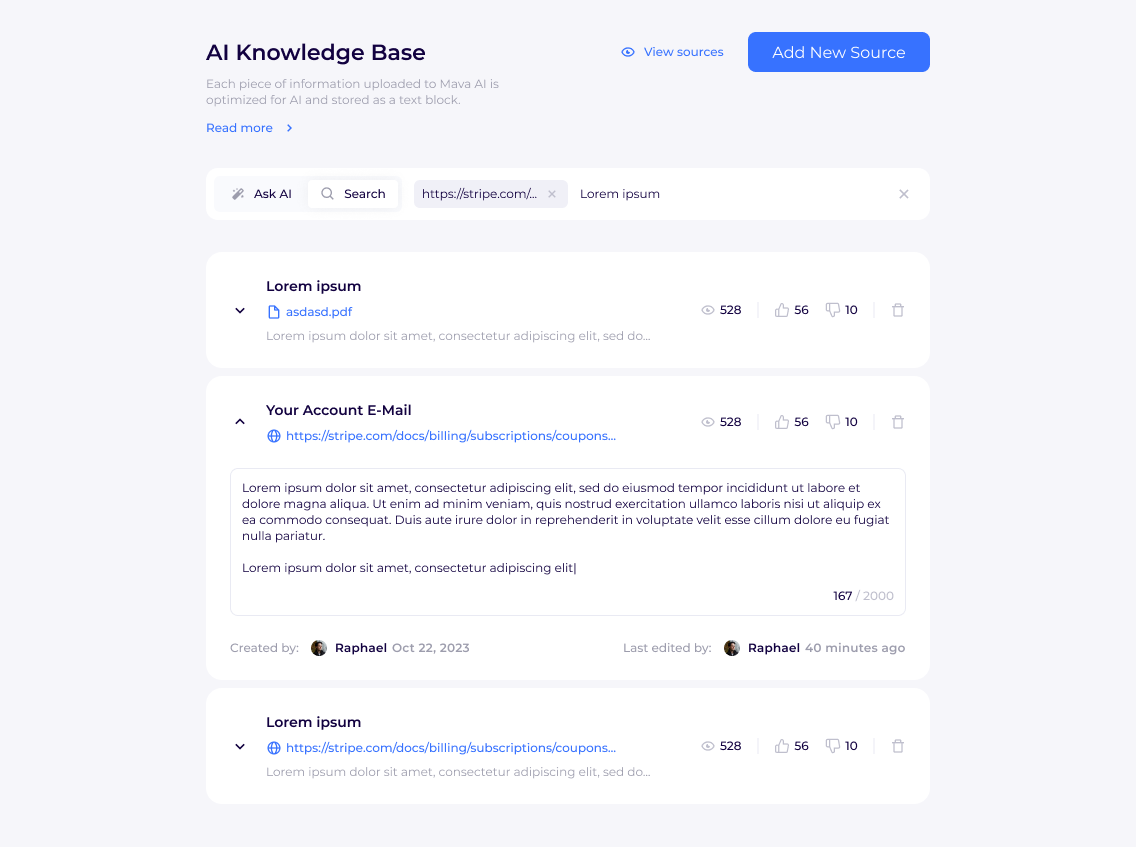
Searchable content blocks let teams inspect and update the information inside a source. Creator and last-editor details showed who maintained the content and when it was last edited.
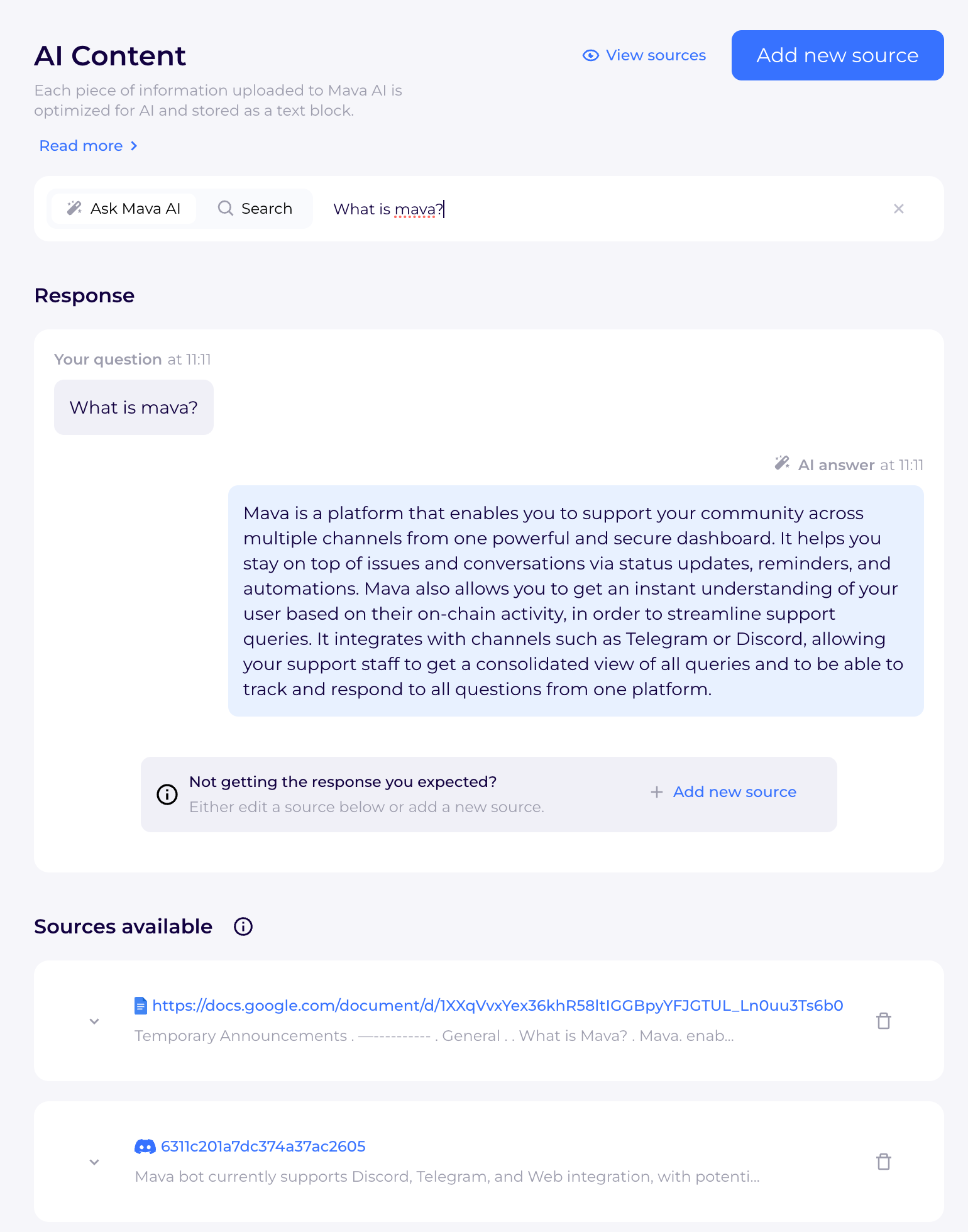
Adding information was only part of the workflow. Teams also needed a way to inspect the answers it informed. The testing view paired a question and AI response with the available source content.
If an answer was not what the team expected, the interface pointed them toward a concrete next step: edit an existing source or add a new one. Testing and knowledge management became parts of the same workflow.
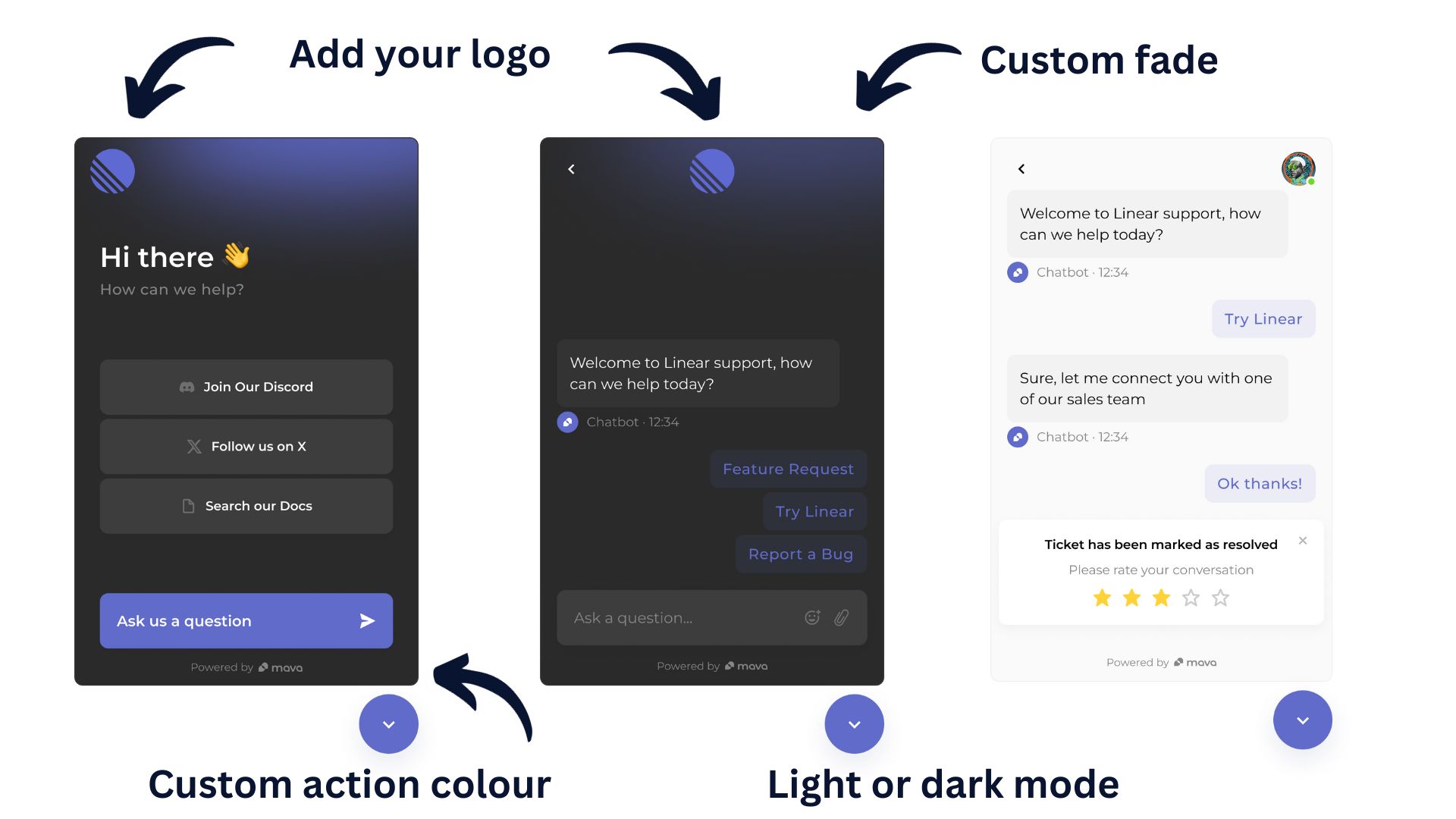
The embedded widget needed to work within different brands. Custom logos, colors and light or dark styling let teams adapt its appearance, while custom links gave customers a direct route to documentation or community resources.
The entry point could offer both self-service resources and a conversation, giving customers a choice of how to get help.